
10 AI Tools I Use Every Single Day to Run My Art Business (2026)

It’s been a hot minute since I’ve written about my favorite AI tools here on the blog and I’m so excited to share my updated version. Back then, it was only THREE AI tools I was recommending; now I’ve got TEN plus a bonus to make eleven because I’m always extra. Since I wrote about those three AI tools, new tools have launched, old favs have gotten major updates, and my daily toolkit looks vastly different than it did a year ago and even six months ago.
So, today, I’m sharing my ten favs - the ones I use every single day for the entire Yellow Studio ecosystem in 2026. It will be fun to see what changes by this time next year!
Some of the tools below are AI-native, some have AI baked in as an option, and a few are just brilliant workhorses that pair well with what I need to keep my biz running. Most of these are apps I’ve used for many years and some are newer from the last few years, but they all have one thing in common - I cannot imagine life without them! A few of these have partner links - if you love me, Miss Bumble Bea, and my content and want to show your support, please bookmark this blog to use them when you're ready so that they know I sent you. Just know that NONE of these tools were chosen for the sake of sharing affiliate links. These tools keep my one-woman studio and Yellow Universe afloat - website, an online community, a blog, a shop, a YouTube show, print-on-demand products, and all of the marketing and strategies that keep everything tied up in a pretty yellow bow.
Let’s jump in!

Wix
Wix is not only my favorite website builder and host, it also houses my email list, sends my email marketing, is the home of my online community, Open Studio, hosts my blog, and my e-commerce shop for The Yellow Boutique, and runs all of my programs, classes, and live events. It is the container for my entire business and while many people might say an "all in one" isn't good at everything, I would beg to differ. I used to have my business scattered everywhere - website host, email service, blog, a separate shop for products, Facebook group for my community. I had to log in to 10 different places to check in on my business daily. Now I stop at ONE place. Wix. It has changed how I do business and increased my efficiency 10-fold.

Claude - My Favorite AI Tool
OMBea, Claude is a lifesaver. From strategy to help with copy for social media posts to making sure everything stays aligned and on brand across my entire ecosystem. Claude has my back. My favorite thing is that Claude can not only access my Notion account but can write and edit inside of Notion too - keeping my thoughts, ideas, to-dos, tracking, and so much more all in one handy place that SHE can reference and find details inside of when I need them. No more scanning through tons of docs in my Google Drive to find out which one has the info that I need. (Oh and she can do that too! ha!)

ChatGPT (or as I affectionately call her, Cate)
Cate is my assistant, helping me with product mockups, keeping track of dates and deadlines, helping me surface current news in AI and print-on-demand, editing images, creating graphics, and, of course, Prompt Wall Party fun on Fridays on my YouTube Live Show!

I was already using Hailuo AI for my Bumble Bea videos daily but now that they have introduced the new H3 video generator, it has become my go-to for ALL of my videos. It does everything that every other video app can do all in one place. Omni-reference for my new micro-drama series I'm creating and for Miss Bea's videos. Start and end frames for animating my YELLOW MUSE art. And so much more I haven't even experienced or touched yet... not to worry, I'll be trying and testing it ALL out in the coming weeks. If you want to see H3 in action, I did a full demo of everything it can do on a recent live show.

Canva
Canva is my workhorse. Removing the background on an image, create slide decks, carousel posts, story posts, and Pinterest posts. I edit my video clips together in Canva and add music and sound effects. I use Magic Layers on the regular - it's seriously my favorite tool to come out of Canva. And just last week, I demonstrated how you can build a website with Canva. It does so many things!

Adobe Creative Suite
As Canva grows, I keep thinking I won't need Adobe any longer, but I've got to admit, I still use it daily. Image resizing is one of my main uses, but I also love the automation inside of Photoshop for the fast web-size resizing that I need for my website, Open Studio, and blog posts. I also LOVE Adobe Bridge automations for batch renaming files, batch resizing files, and literally anything else I can dream up to batch edit. Illustrator is still my go-to for all things vector and I use it the most often these days for pattern work for products in The Yellow Boutique, the Yellow Desk, and Baby Bloom.

Notion
Literally my brain. Everything I think about, every idea I have, everything I learn, every strategy and plan, every marketing bit, every tracker - all lives inside of Notion. It's the dashboard I never thought I needed and now I can't live without. ha!

My social media scheduler and the best one I've found yet and also the most reasonably priced. They have a free plan that lets you post to 3 accounts simultaneously - plenty to get by as you build your new biz. The paid plans have unlimited posting to each account that you add on (the amount paid goes up based on attached accounts not on how much you post, which I love). It's also lightning fast and it's the only scheduler I've ever found that allows me to schedule posts to my personal Facebook profile. Winner, winner, chicken dinner!

I don't know why MidJourney is so far down this list because I'm in a love affair with her. She makes the most beautiful images. She takes what I see in my mind and adds all of the sparkles and do-dads and what-nots that I never could have imagined. She knows my style over the years of training her on it and almost never misses a beat. MidJourney is my daily spark and hit of creativity that keeps me creative across every other avenue of my business and life.

If Notion is my brain, SmugMug is my memories. SmugMug is my online cloud storage that doesn't act like cloud storage by charging me every time I need "more storage". She has a one-rate, annual fee with unlimited (yes, actually unlimited) file uploads for images (jpgs, pngs) and video. That is unheard of in the cloud storage space and I absolutely adore them for that. They are easy to use and unlike Dropbox (my previous cloud storage), I can actually SEE the thumbnails because they are large, social media-sized images to scroll through. It has a search feature, tagging so I can find things easily later, and a super easy-to-use file storage system with folders and galleries. You can set any of your galleries to public and use it as a portfolio site too! You can also create collections of images to send to press or collaboration partners with a password-protected link. I love SmugMug!
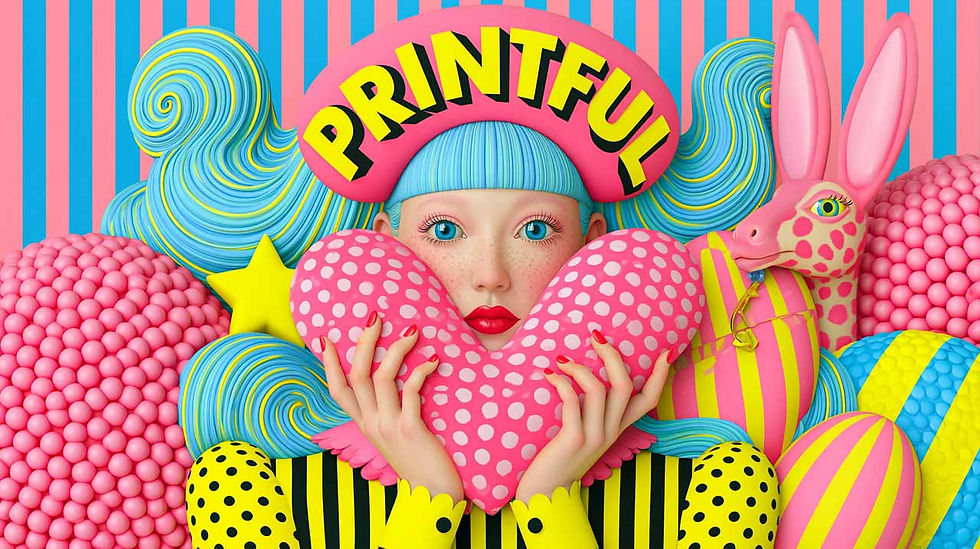
My favorite print-on-demand. It syncs to my Wix e-commerce shop and my Etsy shop. Every product I've ordered from them has been not only high-quality fabric and materials but also put together carefully and beautifully. The printed colors are even more gorgeous than on my screen and I literally LIVE in their skater dresses and leggings (with my own patterns on them, of course). I recommend them to everyone looking to start out with print-on-demand. They are a spectacular company and I'm so proud to promote them!

Bonus: Krea
I know I said only 10, but I have to give Krea a shout-out. While I do use Krea daily, I do absolutely adore her and use the app quite often. It's my go-to spot for creating branded images and AI portraits. I also love to use Krea when I need a lot of quick images - it's lightning fast!
Wrapping it up
I could go on and on forever - if you watch my YouTube show, you know - but I’ll stop here because these truly are my favorite daily tools and I wouldn’t want to muddy the list by listing others that I use on occasion. These tools help me run my business, make real income, and keep me creative.
If you’re just getting started in your biz, don’t feel like you need to add every one of these to your arsenal today. Pick the ones that made you think “ooh, I need that!” and bookmark this blog to refer back to when you’re ready to expand. This stack was built one tool at a time, as I needed them, and I never pay for an app until a) it’s proved that it will be useful for me, b) I’ve outgrown their free version, and c) I know I’ll use it frequently, not just on occasion. I highly recommend setting parameters similar to these in place in your biz for how you add tools to your toolkit. It will keep you from going broke before you get a chance to build your biz and start making money.
If you want to learn more about these tools and see them in action, you’ll love my YouTube show, The Yellow Studio Live. I go live at 5pm PST, 5 days a week talking about tools for your art business, print-on-demand, and organic social media marketing. You can also take things to the next level and have direct access to asking me questions, getting daily tips, tools, and advice, and a fun, sweet community in Open Studio, the cozy online space for artists who throw away the box and think with their hearts and heads. 💛


Comments